Sunday, December 17, 2017
Resetting the Linux text console
I've found two different solutions to losing the linux text console or having your X11 session garbled. Initially it seemed impossible to recover from these situations but after much experimentation two solutions were discovered.
First, I'll describe the original solution I found using a somewhat old version of Vector Linux that ran the 2.6.27.29 kernel. As far as I can tell ALT+SYS+K does not work on a kernel this old. Periodically the X11 session will show garbled graphics and switching to the text console via ctrl+alt+F1 just shows the same garbled graphics. I can still type and see some results (the garbled graphics shift a bit) but the computer isn't very useable in this state.
After reading about framebuffers and Linux Kernel Modules I tried "/sbin/modprobe radeonfb" and then my text console reappeared. Even after shutting down the Xserver this module continues to run the text console. One can change the video resolution of the framebuffer via commands like "fbset 640x480-60" or even look at images via the fbi utility.

The 2nd case involved a severe bug in slackware 14.2 whereby exiting the Xserver would just give an entirely black screen and typing seemed to have no effect. The only way to recover seemed to be by typing "/sbin/reboot" in an ssh session from another computer. This computer had the more modern kernel version 4.4.14.
So I tried:
alt+sysrq+k (kills all processes running on the current virtual console)
alt+sysrq+r (switch the keyboard from raw mode, which is used by X11, to XLATE mode)
Now after the alt+sysrq+r key sequence I noticed that I could toggle num-lock and caps lock so clearly the keyboard was still functioning on some level even though I couldn't see anything I typed. So it seemed I was back to rebooting via ssh. Then one day I tried typing "startx" and hitting enter on the blank screen and lo and behold my X11 session worked. So what would happen if I tried exiting from the Xserver now? The text console reappeared! Tricks like loading a framebuffer LKM wouldn't work as the framebuffer is now built into the kernel.
I wish I understood exactly what was happening here although I can hypothesize that some piece of memory was put into a corrupted state. This solution worked on a ASUS P5KPL-AM motherboard with a Intel 82G33/G31 Express Integrated Graphics Controller. To further complicate matters I use xautolock to suspend the computer after 10 minutes of inactivity.
So there you have it. Hopefully one of these solutions will work if you find yourself with a garbled X session or a blank text console.
UPDATE: Jan 16th, 2019
On Slackware 14.2 I've used one other method for restoring the X session:
"sudo /sbin/init 4" which is executed via an ssh session from another computer. This will set runlevel 4 which sets a normal graphical login and also will keep ssh running (note that init 1 would kill the ssh session). One could also kill -9 the X process and run the startx script over again. This appears to be the best method to use if the X session stops working correctly.

Monday, October 23, 2017
CBC Streaming Radio Links For 2017
Yes, the links for streaming CBC radio have changed again.
Check this web page for the new links:
CBC Radio URLS
Here is an example of using mplayer with linux to listen to CBC Radio One Toronto:
mplayer http://cbc_r1_tor.akacast.akamaistream.net/7/632/451661/v1/rc.akacast.akamaistream.net/cbc_r1_tor
Monday, May 1, 2017
FC1 hits 1 Year Uptime (Again)

Back in November of 2015 I couldn't resist bragging a bit about my old Fedora Core 1 machine reaching 1 year of uptime. Now it has managed to run another year without interruption.
It eventually ran for 489 days in the first instance. No doubt there have been many machines with much longer uptimes than that, but keep in mind this machine was first built in 1998 and is running on home utility power.
KDE was upgraded twice on this machine. Originally FC1 shipped with KDE version 3.1 but I upgraded it twice, first to KDE 3.3.1 and finally to KDE 3.4.2 which it still runs to this day. Here is the oldest surviving picture from 2005:

For the historical record I'll list the versions of KDE I've encountered:
KDE 4.14.21    Slackware 14.2

KDE Trinity 3.5.13.2
               q4os

KDE 3.5.10     vector linux classic
               openbsd 4.7

KDE 4.14.3     Vector Linux 7.1 Light (VL7)

KDE 3.1.X      fedora core 1 (upgraded this to 3.4.2 back in 2005)
KDE 3.1.2      redhat 9.0     2003
KDE 3.0.3      redhat 8.0
KDE 3.0.0-12   redhat 7.3
KDE 2.2.2      redhat 7.2
KDE 1.1.2-10   redhat 6.1    oct 1999
KDE 1.1.1pre2  redhat 6.0    apr 1999
Tuesday, February 21, 2017
Thoughts on Slackware 14.2
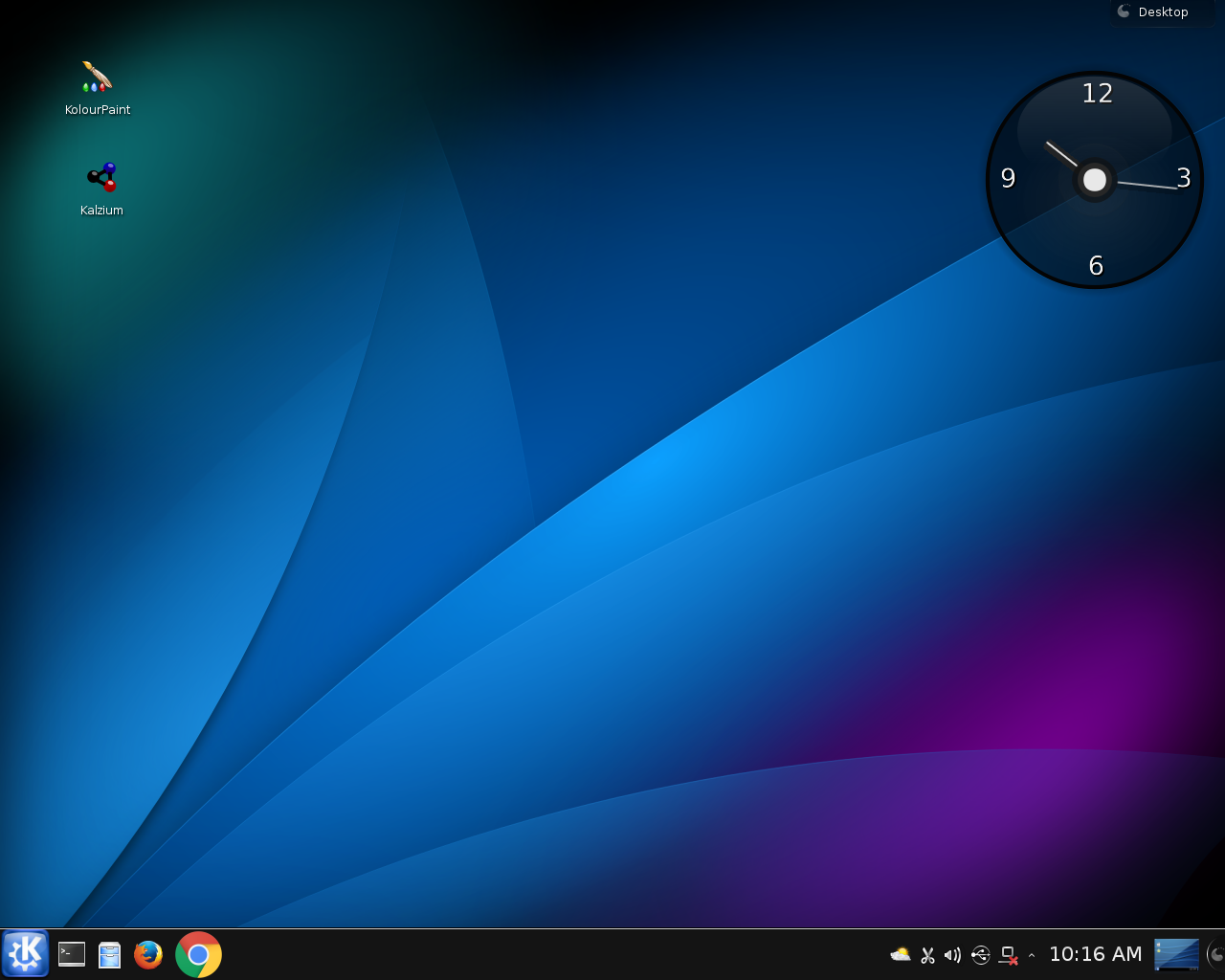
tested on an intel core duo E5200 with 2 gigs of ram
The main attributes are:
kernel 4.4.14
kde 4.14.21
firefox 45.2
chrome 56
bash 4.3.46
rtorrent 0.9.6
added dosbox-0.74-x86_64-2jsc.txz
for old dos games
The slackware DVD will boot up and it is easy enough to run the install script. First time slackware users may find the install script to be a bit primitive and it assumes the user has some knowledge of cfdisk or fdisk.
One configures the network the usual way with netconfig.
Note that slackware will install and not run X automatically, so I just run X as a user via the startx script. This will bring up kde 4.14.21
I was familiar with slapt-get so I was a bit surpised to see it was replaced with slackpkg located in /usr/sbin. Also gslapt has disappeared along with kpackage so I'm not sure what is available to install packages via a GUI.
Downloaded packages may be installed via: sudo /sbin/upgradepkg --install-new package.txz
Running dmesg now requires using sudo.
I found it useful to download and install flashplayer-plugin-24.0.0.221-x86_64-1alien.txz to get flash working. I also installed wine-1.9.23x86_64-1alien.txz for those few windows programs I run (mostly games).
All in all I'm quite happy with slackware 14.2 on my quasi-modern computer. Old school linux and openbsd types will no doubt feel at home with slack. There's no systemd to worry about. A full install takes about 9 gigs of drive space. The slackware folks have obviously put a ton of work into this new release. A word of warning to linux newbies, this isn't the easiest distro to install and is probably best suited to linux intermediates or experts.
I recommend Slackware 14.2 for the linux traditionalist.
Friday, October 7, 2016
BIOS Problems and Solutions

When Lenovo released the Yoga 900-13ISK2 it became apparent that Linux and BSD users could not rely on closed source BIOSes. Of course while it is rather naive to think that a Microsoft Signature Edition PC would be Linux friendly, one could hope that at least it would not be Linux or BSD hostile. On further analysis one can see that this is not the case, and any would-be Linux user is in for a very difficult time trying to load any operating system other than Windows 10.
The exact reasons for this problem boil down to the inability of the BIOS to set Advanced Host Controller Interface (AHCI) mode for the SSD. Now I knew long ago that closed source BIOSes could become a problem back in the mid-1990s. I've spent considerable time researching the ways one can obtain a computer with FOSS firmware.
Before I go into the specifics of which computers actually have a BIOS with freely available source code allow me to recap some computer history. When we look at the original IBM PC BIOS we can see that it's been well analyzed and that no other operating systems have been locked out. In addition to this there was no way to alter the BIOS save for swapping out the BIOS chip and putting in a different one. So for several years people didn't give much thought to the BIOS, as long as their computer booted they could load whatever operating system they wanted, be it Unix, Minix, MS-DOS, CP/M, etc.
As the years went by we could see computer users have less and less control over their own machines. In the later part of 2011 users started to see "Secure Boot" appear in the BIOS. In January 2012, Microsoft confirmed it would require hardware manufacturers to enable secure boot on Windows 8 devices, and that x86/64 devices must provide the option to turn it off while ARM-based devices must not provide the option to turn it off. Thus Linux and BSD users had to be extra careful when selecting which computer to buy.
There are three BIOS alternatives known to me at this time, all three are available with source code although in the case of Openboot the source is in the forth language:
- Lemote computers have PMON, available via "git clone https://github.com/kisom/pmon"
- Sun Microsystem computers have Openboot, available via "svn co svn://openbios.org/openboot"
- Google Chromebooks currently use Coreboot, available via "git clone http://review.coreboot.org/p/coreboot"
I would caution any Linux or BSD user to at least do an online search to see if other people have had problems of this type. Even if you don't buy a chromebook one should make certain that the BIOS will not prevent them from loading the operating system of their choice. To my mind the ideal solution is to have a computer with FOSS firmware.
UPDATE Oct 28th, 2016
---------------------------------
Lenovo releases a BIOS update for the Yoga 900-13ISK2. No official support is provided for this BIOS. Better than nothing I suppose, but I still wouldn't recommend buying one.
Sunday, August 28, 2016
The Importance of BSD

The Berkeley Software Distribution (BSD) is a Unix operating system developed by the Computer Systems Research Group (CSRG) of the University of California, Berkeley.
The BSD operating system started as an add-on package for Unix v6 released in March 1978. There was a 2nd version which was used as an add-on package for Unix v7 which was released in May 1979. Version 2 or 2BSD as it is usually called included the ex/vi text editor created by Bill Joy. The sendmail program appears in 2BSD for the first time.
In 1979 3BSD was released which was an improvement over the Unix 32V port to Vax 11/780. This was the first stand-alone version of BSD. The kernel was named vmunix (virtual memory Unix) and was 132016 bytes in size. Utilties such as whereis, uptime, and berknet appeared for the first time. Surviving disk images of 3BSD also included an APL interpreter and Lisp.
In 1983 we saw 4.2BSD appear with TCP/IP utilties and the new Berkeley Fast File System.
Unfortunately it wasn't until the Intel 80386 CPU arrived that a port of BSD to inexpensive PCs became possible. In 1992 William and Lynn Jolitz released 386BSD. Before this we had proprietary Unixes which could run on IBM PCs and Intel 80286 CPUs such as Venix and Xenix, but the user had no access to the source code.
By 1993 Walnut Creek was offering ftp access and CDROMs with FreeBSD on them. In 1995 FreeBSD 2.0 was released which included many GNU utilties, XFree86 3.1 and many TCP/IP networking services. Best of all, everything came with the source code.

The importance of BSD is undeniable: It vastly improved Unix with the addition of ex/vi, internet capabilities and many other enhancements. Nowadays we are fortunate to have three main branches of BSD: NetBSD, FreeBSD and OpenBSD. These certainly are the first choices for the Unix traditionalist. My own preference is to use OpenBSD.
Monday, August 8, 2016
The Importance of Bell Labs Unix

Unix was first developed by Ken Thompson in the summer of 1969 on the DEC PDP-7 minicomputer. By 1979 Unix version 7 was making the rounds at universities all over the world. Bell Labs Unix has enormous importance: It was the basis for many operating systems that followed including BSD, and the template for Minix and Linux.
In 1987 Andrew S. Tanenbaum created Minix version 1 which was system call compatible with Unix v7.
Richard Stallman made note of the importance of the C compiler (it's importance can not be exaggerated): an efficient way to compile programs. That was the reason why he wrote gcc, perhaps one of the most vital parts of GNU. We must remember though that the template for gcc is the original cc created by Dennis Ritchie.
On Jauary 23rd 2002 Caldera released a license for people to use Unix versions 1 through 7 and also the early 32-bit 32V Unix. Nowadays folks can use the computer emulator simh and run early Unix on modern computers.
Thursday, June 16, 2016
Mygica Media Streamer First Impressions
As many of my computers are too old to play 720P or 1080P video I decided to buy a media streamer: The Mygica ATV520E.

First I'll talk about the manual which is very poor. The black and white pictures inside the manual are mostly unreadable due to the lack of contrast in the images (they look like rectangular blobs of black). The text is very tiny and you'll probably need a magnifying glass to read it. Basically the manual lacks important information one should know about operating this device. For one thing you can reboot the box by holding down the red power button. I found this to be necessary as certain button sequences may leave you with a blank screen. The manual shows an older version of the software and will probably not match what you see on the screen.
I found the device to be easy enough to operate after a bit of experimentation. The (9) or exit button allows one to exit the current program. It would have been a good idea if Mygica put VCR style buttons on the remote but there are buttons for controlling the sound volume, muting, and the usual left/right and up/down functions. Linux users will probably want to install some sort of terminal from the Google Play store which is a digital distribution service operated by Google.
The 4GB hard drive included with the device will fill up quickly so it's recommended to buy a micro SD card. The manual says sizes up to 32GB will work but I think it's possible that larger sizes will also work with a suitable software upgrade.
On the positive side I was able to watch quite a lot of media. Some of it was streamed from my other Linux computers, some was streamed from CBC (shows like Murdoch Mysteries and The Nature of Things were readily available). Russia Today also streamed without any problems. Some of the media from outside Canada like ESPN3 was not available probably due to my Canadian IP address. I did have some trouble with the Wifi reception when the microwave was operating, evidently they operate at similar frequencies.
Since the device is Android based one can play many Android games on it, although you'll find that some games are optimized for smartphones and tablets. I was able to play Pinball Arcade and Zen Pinball without any problems. There are numerous other "Apps" and one can read ebooks or pdf files once one becomes familiarized with the user interface which I found to be very different from using a GUI under Linux. I would recommend the Kr-301 Air mouse with keyboard as using the remote to do certain things is very sub-optimal or even impossible, although it should be possible to just use a USB mouse and keyboard assuming one's cables will reach from the couch.
All in all the Mygica ATV520E seems an adequate device for my purposes. The poor manual aside, I was basically happy with it. Some power users will probably not be happy with the Intel Duo Core CPU and the device can't do 4K video but most people don't yet own a 4K TV. I see this device as a supplement to my existing computers. Users probably won't want to use this device to do actual work, but it's fun streaming Youtube videos while relaxing on the couch and for $99 it's inexpensive entertainment. The device measures 100x100x15 mm and weights only 160g so moving it to a different room is very easy.
Tuesday, February 9, 2016
Vector Linux 7.1 Light
Ok, I took Vector Linux 7.1 Light for a spin and I mostly liked what I saw. One can download the 32-bit ISO here: Vector Linux 7.1 Light.
 | |||||||||||||||
Vector Linux 7.1 light comes with:
- the icewm window manager
- a light web browser xombrero
- leafpad text editor
- mtPaint 3.40 paint program
- geany a lightweight IDE
- evince document viewer
- parcellite a lightweight GTK+ clipboard manager
- firefox 43
As for the parts I didn't like as much... firefox 43 runs more slowly than firefox 16 on the earlier version of vector linux classic, and parcellite seems to need a faster click than most other programs. A slower single click seemed to open the clipboard manager and then close it again. Older users will no doubt wish to make the fonts a larger size in firefox and icewm.
The package manager is slapt-get or gslapt (slapt-get with a GUI) as is usual for slackware based distros.
One program I really liked was the YouTube Browser for SMPlayer. I required some fine tuning but after this my older computer was able to watch youtube videos with ease. It certainly worked better than the flash plugin for firefox or html5 (which was just far too slow).
Ctrl-Alt-D gets one to the desktop as expected. Icewm is my preferred window manager so all was well there. The KDE4 desktop is available in the repo for KDE fans, although I avoided that as the KDE4 desktop will be noticeably slower.
If you find yourself needing a new firefox but your computer and glibc is too old, Vector Linux 7.1 light will fit the bill. People who are more comfortable with a SysV style init over systemd will breathe a sign of relief. All in all VL 7.1 is a viable choice for users who wish to continue using their older computers with a modern web browser.
Tuesday, January 12, 2016
A Brief Guide to Alternatives to Windows: 2016 Edition
First of all, I have a lot to say about avoiding Microsoft Technologies here:
FOSS Matrix
The following info should be useful for the folks that don't like Windows 10. Does Microsoft control your computer? Are you tired of Windows? Read on....
Now the easiest and simplest route for people who are ready for a change is to buy the Google computer also known as a Chromebook. For folks that want a full Linux there is Crouton, which enables one to run ChromeOS and Linux at the same time.
The other choices I would recommend are the following:
Debian Linux and it's Wheezy based derivatives such as AntiX and Q4OS.
Slackware Linux and derivatives such as Vector Linux.
The three BSDs: OpenBSD, FreeBSD and NetBSD.
For the more adventurous there is OpenSXCE.
For the more adventurous (who use old hardware) there is Plan 9 :)
And finally there is HaikuOS and Minix. I don't really like those two but it would be remiss of me to not mention them.
There are many other distros and DistroWatch does a good job at keeping track of them. To put things simply the Linux and BSD distros do a much better job at protecting your privacy (on Windows 10 you have none) and are also more efficient in the use of your computers resources, e.g. OpenBSD can run quite nicely on a P3 with 256 megs of ram.

Subscribe to Posts [Atom]

